AI-orchestrated multi-agent coding for Claude Code

Five specialised squads.
One Claude Code session.
Zero data leaving your machine.

Maestro coordinates up to five parallel Claude Code squads against a shared workspace. Specialised roles, dependency-ordered work, quality gates, security scanning. Bring your own key.

$ mso dispatch --max-crews 3
# Maestro v4.3.1 — workspace MSO
 
[OK] Squad 1 (Vanguard) PLN Sonnet → PLN-MSO-2026-0042
[OK] Squad 2 (Striker) BLD Sonnet → FTR-MSO-2026-0107
[OK] Squad 3 (Bursar) SEC Haiku → SEC-MSO-2026-0019
 
# Three squads running in parallel. mso status to monitor.

In flight at engineering teams who already use Claude Code daily

— Logo —
— Logo —
— Logo —
— Logo —
— Logo —
"Placeholder testimonial slot — design partner quote lands here once v4.0 ships and we have a design-partner sign-off."
How it works

Three steps. No SaaS in the middle.

Maestro is a Python CLI. It runs on your machine, talks to your Anthropic key, and orchestrates Claude Code sessions you already have access to.

01

Install + scaffold

One pip install from the public wheel index — no GitHub credentials needed. Activate your licence, then scaffold a workspace with mso init.

$ pip install --upgrade maestro \
--extra-index-url https://maestrodevs.github.io/simple/
$ mso licence activate <YOUR_KEY>
$ mso init --project MYPROJ
02

Plan a voyage

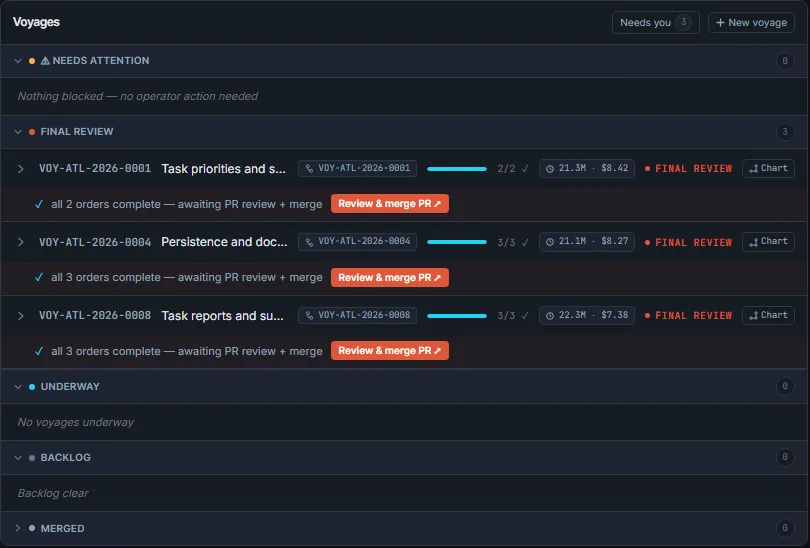
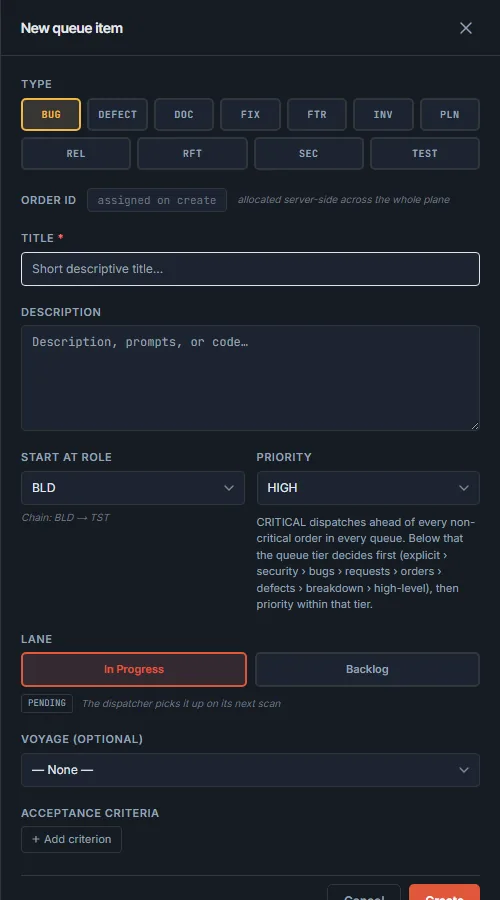
A voyage is a sprint. Drop orders into .mso/queues/orders/. Each order names a role: PLN, BLD, TST, DOC, SEC, REL.

$ mso voyage create "Auth refactor"
$ mso order "Add SSO" --role BLD
03

Dispatch the fleet

Up to five squads run in parallel. Quality gates between roles. Security scans on every write. Real-time status in your terminal.

$ mso dispatch --max-crews 5
$ mso status
Live demos

See it run

A 90-second quickstart — pip install, licence activate, scaffold, and dispatch your first fleet.

Meet the personas

Same engine. Your team's voice.

Maestro ships five built-in personas. Each persona changes how squads address the operator, the terminology in prompts, and the flavour of CLI output — the orchestration mechanics are identical underneath.

⚓ Nautical Default

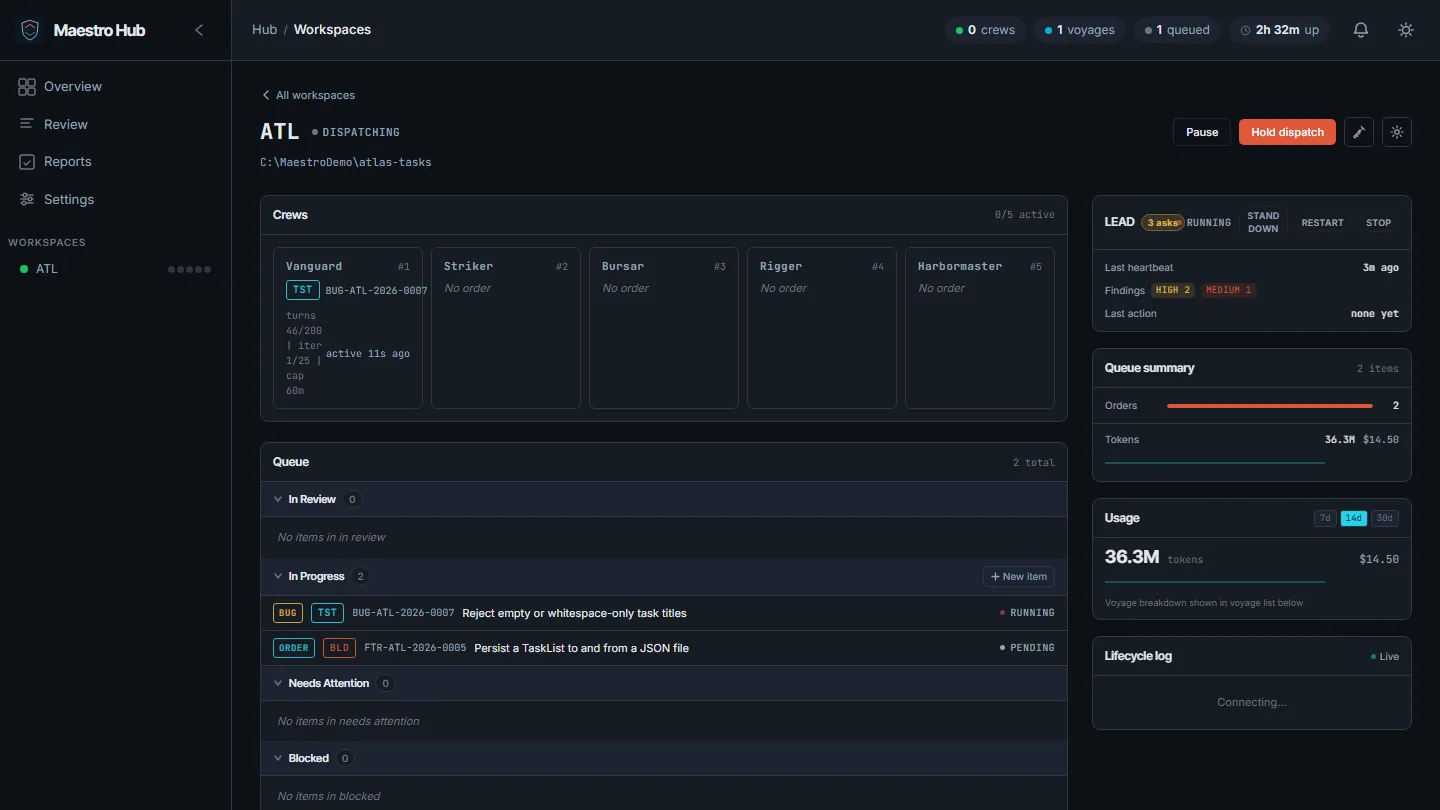
The classic Maestro experience. You are the Captain; Claude is your Quartermaster. Squads are crews; deployments are voyages.

OperatorCaptain
Lead agentQuartermaster
SquadsCrews
SprintVoyage
# Nautical persona CLI output
 
$ mso dispatch
⚓ Fleet Command v4.3.1 — workspace MSO
 
Setting sail on voyage VOY-MSO-2026-0040...
 
[OK] Crew 1 PLN Sonnet → RUNNING
[OK] Crew 2 BLD Sonnet → RUNNING
[OK] Crew 3 SEC Haiku → RUNNING
 
# Aye, Captain. Three crews underway.

Set your persona: add "persona": "nautical" to .mso/config/workspace.json, or pass --persona nautical to any mso command. docs/PERSONAS.md for the full reference.

Why Maestro

What you get that single-agent setups don't

Parallel specialised squads

Six bound roles — Planner, Builder, Tester, Scribe, Security, Releaser — each running on the right model tier (Haiku for read-only security review; Opus for merge gate decisions). Squads dispatch in waves: planning waits on nothing, building waits on planning, QA waits on building. Five Claude Code sessions running concurrently against the same repo without stepping on each other.

$ mso dispatch --max-crews 5
$ mso status
 
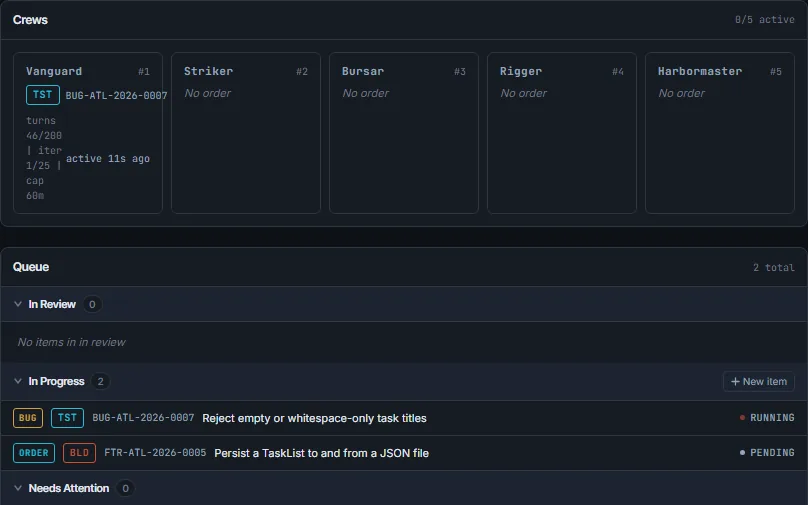
Squad 1 Vanguard PLN Sonnet RUNNING iter 3/25
Squad 2 Striker BLD Sonnet RUNNING iter 7/25
Squad 3 Bursar BLD Sonnet RUNNING iter 4/25
Squad 4 Rigger SEC Haiku RUNNING iter 2/25
Squad 5 Harbormaster TST Sonnet RUNNING iter 9/25

Quality + security gates

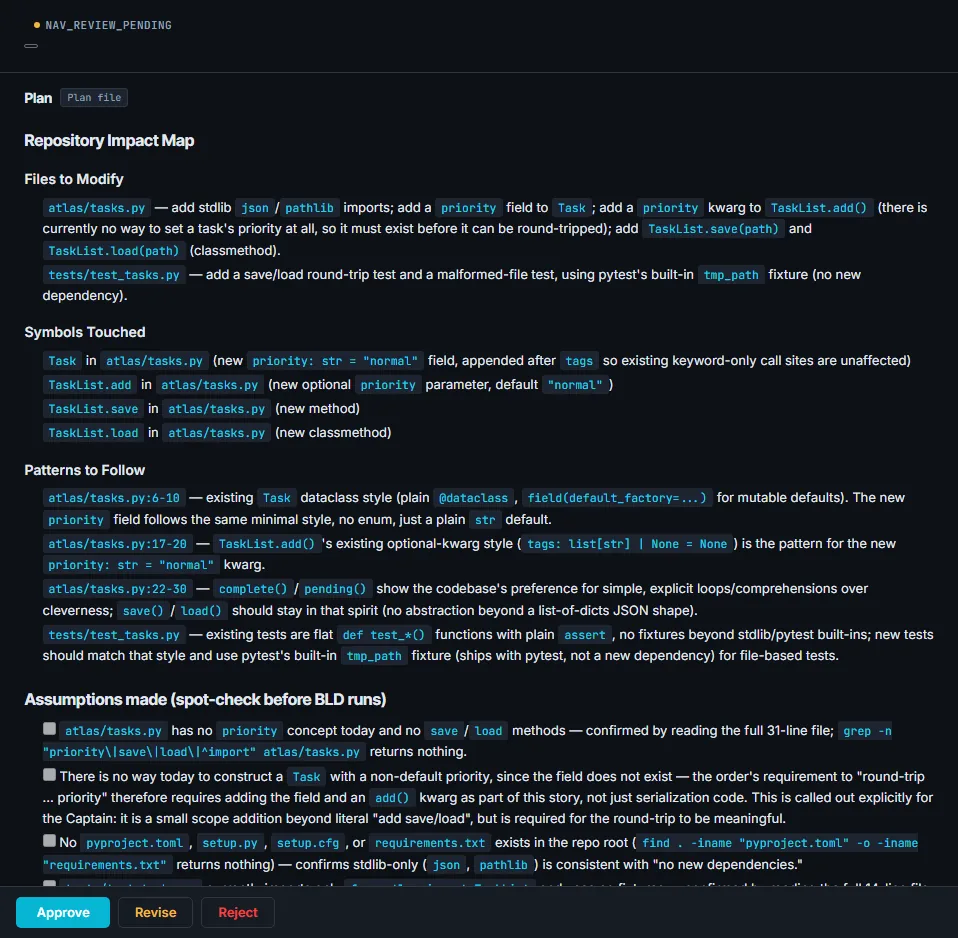
Structured acceptance criteria attach to every order. The Tester validates each one — file-exists, manual judgement, or an arbitrary shell command exit code. The Releaser refuses to merge unless gates pass. Pretool secret detection blocks AWS keys, GitHub PATs, OpenAI tokens before they hit a commit. Posttool OWASP/CWE scanning runs against every Security review.

$ mso security scan --voyage VOY-0026
# TST validation report — FTR-MSO-2026-0094
[PASS] AC-1: licence module exists
[PASS] AC-2: dual-mode auth preserved
[PASS] AC-3: env-var bypass works
[PASS] AC-4: 14-day grace verified
 
# REL security gate
[PASS] 0 unresolved CRITICAL / HIGH

Bring your own key. Run on your machine.

Maestro is a Python CLI installed via pip. There is no Maestro server. Your code never crosses the network to us. Your Anthropic API key is yours; you pay Anthropic directly for token usage. The audit trail, voyage state, and order history all live in .mso/ next to your code. Air-gapped operation supported.

$ mso data-flow diagram --mode air-gapped
# Egress allowlist (workspace.json)
"dataResidency": {
  "mode": "restrictive",
  "allowedDestinations": [
    "api.anthropic.com",
    "api.github.com"
  ]
}
If you've tried…

How Maestro differs

Other coding agents in your toolbox. Where each fits — and where Maestro fits instead.

Cursor / Copilot Workspace

Single-developer, in-IDE pairing. Brilliant for inner-loop edits.

Maestro runs five orchestrated squads against shared workspace state — not in-IDE, complementary.

Devin / Blitzy

Cloud-hosted autonomous agents. Their servers, their orchestration, your code goes to them.

Maestro runs entirely on your machine with your key. No SaaS in the loop.

Claude Code on its own

Single session, no orchestration, no role separation, no quality gates.

Maestro is a productivity layer on top of Claude Code — five sessions, six roles, gates between them.

Built for teams that can't ship code to a vendor

Control is the feature

Most coding agents trade control for convenience. Maestro is the opposite trade.

Bring your own key

You sign up with Anthropic directly. We never see your tokens, you never see a per-seat surcharge from us on top of model costs.

Runs locally

Pip-installed CLI. No Maestro server in the request path. Your repo, your shell, your machine — start to finish.

Egress controlled

Restrictive and air-gapped modes refuse outbound HTTP outside your allowlist. mso data-flow diagram renders every host the framework would reach for.

Pricing

Free for solo. Per-seat for teams.

You always pay Anthropic directly for the model usage. Maestro's pricing is the orchestration layer.

Community
$0 / Free Forever

Solo developers. 1 squad, 3 roles.

Get started →
Team
$15/user/mo

5+ seats. Shared workspace, team licence, SSO when available.

See features →
Enterprise
Talk to us

SSO, SLA, security review support, custom MCP allowlists, professional services.

Contact sales →

Install Maestro

Public wheel, no GitHub credentials needed. You'll be dispatching squads inside 90 seconds.

$ pip install --upgrade maestro \
--extra-index-url https://maestrodevs.github.io/simple/
$ mso licence activate <YOUR_KEY>
$ mso setup
 
# Then dispatch your first fleet:
$ mso dispatch